Consider it when…
- Narration, dialogue and podcast production
- Multilingual dubbing workflows
- Voice agents with explicit tools and guardrails
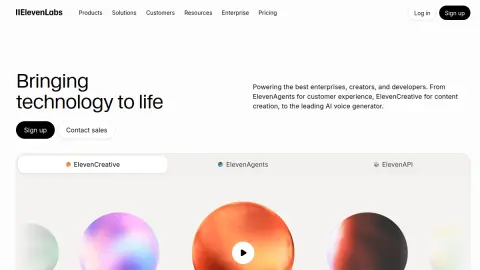
elevenlabs.io
ElevenLabs provides voice and audio infrastructure for speech, dialogue, dubbing, music, sound effects and conversational agents. Maviter prompts should distinguish a production script from a voice-agent system prompt and define pronunciation, delivery, tools, guardrails and evaluation evidence for the chosen workflow.
Choose the workflow first: produced audio, dubbing or a live agent. For audio, match the voice and model to the intended delivery and write pronunciation-sensitive text deliberately. For agents, separate role, goal, tools and guardrails, then test real tasks, escalation, latency and tool-call accuracy before launch.
These checks follow the platform-specific brief; complete them before purchase or production use.
Public prompts open completely. Premium and Team packs protect their execution body until entitlement is confirmed.
Prepare narration text and direction for natural pacing, pronunciation, emotional continuity and edit-friendly sections.
View pack →premium / protected previewElevenLabs Multi-Speaker Dialogue PackCreate a clearly attributed multi-speaker scene with distinct voices, performance cues and coherent conversational rhythm.
View pack →premium / protected previewElevenLabs Music Composition BriefTurn a creative intention into a structured music brief covering genre, mood, instrumentation, tempo, era and composition plan.
View pack →premium / protected previewElevenLabs Podcast Localization SystemPlan a multilingual spoken-audio workflow that protects meaning, names, speaker identity, timing and editorial approval.
View pack →premium / protected previewElevenLabs Sound Effects Design PackTranslate a scene into precise sound-effect prompts with duration, loop behavior, acoustic perspective and usable variants.
View pack →Commercial destinations are labelled and never influence editorial fit.
These official sources support a distinct working brief, but official documentation is not an independent benchmark. Pricing and consequential claims must still be checked before purchase or production use.
Where: Use Text to Speech and paste only the narration text, not editorial instructions.
Prepare: Choose an authorised voice and the intended language. Replace bracketed words, spell difficult numbers and preview a short sample.
These are original narration scripts. Delivery, pronunciation and duration need listening checks; voice consent and usage rights remain your responsibility.
Templates reviewed for clarity and product fit; provider execution and output quality are not independently verified.
Welcome to [WORKSHOP NAME]. Today, we will practise one useful skill: [SKILL]. You do not need to know every technical term. Keep one real question ready, follow the example, and check whether your final result answers that question clearly.
Check the result: Listen for the workshop name, pacing and natural pauses.
Start by opening [SCREEN NAME]. Choose [ACTION], then enter [INPUT]. Before continuing, check [IMPORTANT DETAIL]. When [SUCCESS SIGNAL] appears, this step is complete. If you see an error, keep a note of the message before trying again.
Check the result: Match every spoken screen/action name against the actual product.
You have seen the example. Now try it with your own material. Keep the goal the same, change one instruction, and compare the results. Look for a specific improvement rather than a longer answer. Pause here while you complete the exercise.
Check the result: Leave enough editing space for the pause and avoid rushing the instructions.
अब अपनी एक वास्तविक समस्या चुनिए। पहले साफ़ लिखिए कि आपको क्या परिणाम चाहिए। फिर एक अच्छा उदाहरण जोड़िए। उत्तर मिलने के बाद देखिए कि वह आपके सवाल का जवाब देता है या केवल सामान्य बातें दोहराता है।
Check the result: Use a compatible Hindi voice and listen for pronunciation and rhythm.
This example shows what happened under the conditions we tested. It does not prove the same result in every situation. Keep the useful part, note the remaining uncertainty, and choose one small next step that you can check for yourself.
Check the result: Ensure the surrounding lesson actually includes the test being referenced.
Use the profile’s specific evaluation steps with representative, authorised material. Record what happened before deciding whether this tool fits your work.
Your notes stay in this browser tab. Refresh clears them. Nothing is submitted to ElevenLabs or saved to your Maviter account.