Consider it when…
- Google-centric work that benefits from selected Drive, Gmail or NotebookLM context
- Multimodal research reports followed by Docs, audio or visual outputs
- Repeatable personal workflows packaged as Gems
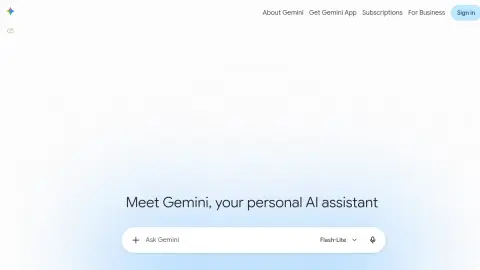
gemini.google.com
Gemini is Google's multimodal assistant for writing, analysis, images, research and work connected to Google services. Deep Research can combine Google Search with selected files, NotebookLM notebooks and connected Gmail or Drive context, while Gems package reusable instructions and Canvas supports longer documents, applications and research outputs.
Choose the exact surface—standard chat, Deep Research, Canvas or a Gem—before adding sources. Connect only the Google services needed for the task, inspect the research source plan, distinguish notebook-grounded material from web findings, and export the accepted output with its links. Test a Gem on varied inputs before sharing it.
These checks follow the platform-specific brief; complete them before purchase or production use.
Start with a guided brief for Gemini. Maviter keeps the selected platform in context and never exposes private member prompts here.
Commercial destinations are labelled and never influence editorial fit.
These official sources support a distinct working brief, but official documentation is not an independent benchmark. Pricing and consequential claims must still be checked before purchase or production use.
Where: Paste into a Gemini conversation; add only files you are authorised to share.
Prepare: Replace bracketed fields and include the actual source material.
Availability of uploads and connected products varies. These prompts do not assume access to your Drive or email.
Templates reviewed for clarity and product fit; provider execution and output quality are not independently verified.
Create a [DURATION]-minute outline from [TOPIC NOTES] for [AUDIENCE]. Write the main teaching in plain English and add short Hindi explanations for difficult ideas. Include time allocations and one practice activity. Flag any unsupported claim in the notes rather than presenting it as fact.
Check the result: Timings add up and the Hindi explanation preserves the same meaning.
Using [PASTED TABLE], identify the largest changes and missing values. Show the arithmetic for each reported change. Separate observations from possible explanations. Do not infer customer motives or causation from this table. End with the additional data needed to investigate.
Check the result: Recalculate the reported changes independently and check units.
Draft a concise response to [CUSTOMER QUESTION] using only [APPROVED FACTS]. Match this tone example: [EXAMPLE]. If price, timing or eligibility is missing, state the question we need to answer rather than guessing. Provide the reply and a private checklist of facts to verify before sending.
Check the result: No fabricated promises, prices or eligibility rules; do not send automatically.
Create six questions from [LESSON]. Mix recall, application and one error-spotting example. Put the answers after the questions, explain why each is correct and identify the passage supporting it. Avoid testing knowledge that is absent from the lesson.
Check the result: Every answer is supported by the supplied lesson and has one clear interpretation.
Rewrite [INSTRUCTIONS] for a first-time user completing [TASK]. Preserve prerequisites, warnings and decision points. Use one action per numbered step. Mark missing screenshots or undefined terms. Finish with a test someone can perform to confirm completion.
Check the result: A new user can follow the sequence without losing necessary conditions.
Use the profile’s specific evaluation steps with representative, authorised material. Record what happened before deciding whether this tool fits your work.
Your notes stay in this browser tab. Refresh clears them. Nothing is submitted to Gemini or saved to your Maviter account.