Website guide / Source linked

Ask Maviter

Find prompts, compare tools and navigate Maviter. AI answers stay inside Maviter's indexed evidence.

Search is freeSign in for five daily AI credits
Never paste passwords, API keys or confidential project material.
POPower Automatemicrosoft.com
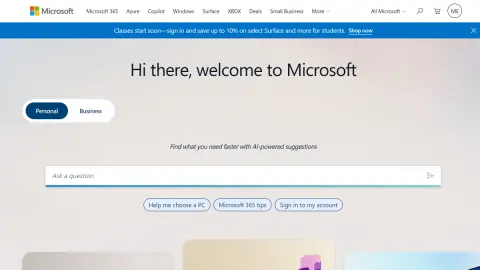
Recent website preview of Power Automate at microsoft.com
Platform previewFor recognition only. Interfaces and offers can change.
Source-backed brief / Review pending

Power Automate

microsoft.com

Enterprise automation across the Microsoft ecosystem. The current Maviter research brief focuses on the decision that matters most: Power Automate spans cloud flows, desktop automation and Microsoft ecosystem integrations with enterprise environment and governance controls.

Decision brief

Where Power Automate fits

Start with a controlled decision, not a broad subscription. Automate one repetitive Microsoft 365 process in a test environment, including permissions, failure handling, owner transfer and run monitoring. Record successful-run rate, manual time saved, exception recovery and administration effort. Review the official source, preserve the stated operating boundary, and keep the profile at review-pending status until Maviter completes independent evidence verification.

Strengths / best fit

Consider it when…

  • Teams prepared to automate one repetitive Microsoft 365 process in a test environment, including permissions, failure handling, owner transfer and run monitoring
  • Buyers measuring successful-run rate, manual time saved, exception recovery and administration effort

Cautions / trade-offs

Check carefully when…

  • Do not deploy an unattended or privileged flow without environment ownership, data-loss policies, monitoring and a rollback path
  • A purchase based on directory copy without checking Power Automate's current official terms
Practical evaluation

Test Power Automate on its real job.

These checks follow the platform-specific brief; complete them before purchase or production use.

  1. 01Define the Power Automate decision and owner
  2. 02Automate one repetitive Microsoft 365 process in a test environment, including permissions, failure handling, owner transfer and run monitoring
  3. 03Measure successful-run rate, manual time saved, exception recovery and administration effort
  4. 04Review connector permissions, environment sprawl and unattended desktop actions can create data-loss or governance failures and enforce: Do not deploy an unattended or privileged flow without environment ownership, data-loss policies, monitoring and a rollback path
Source-backed capabilities / Review pending

What Power Automate contributes.

01Enterprise automation across the Microsoft ecosystem.
02Power Automate spans cloud flows, desktop automation and Microsoft ecosystem integrations with enterprise environment and governance controls
03A practical evaluation path: Automate one repetitive Microsoft 365 process in a test environment, including permissions, failure handling, owner transfer and run monitoring
Build an account-library pack

No approved Prompt Pack is connected yet.

Start with a guided brief for Power Automate. Maviter keeps the selected platform in context and never exposes private member prompts here.

Important links

Official and disclosed resources.

Commercial destinations are labelled and never influence editorial fit.

Research ledger / Editorial review pending

Official sources behind this brief

These official sources support a distinct working brief, but official documentation is not an independent benchmark. Pricing and consequential claims must still be checked before purchase or production use.

Stay in the category

Alternatives worth comparing.

Build comparison →

Record your Power Automate trial.

Use the profile’s specific evaluation steps with representative, authorised material. Record what happened before deciding whether this tool fits your work.

Open my evaluation worksheet

Your notes stay in this browser tab. Refresh clears them. Nothing is submitted to Power Automate or saved to your Maviter account.

1. Define the Power Automate decision and owner
2. Automate one repetitive Microsoft 365 process in a test environment, including permissions, failure handling, owner transfer and run monitoring
3. Measure successful-run rate, manual time saved, exception recovery and administration effort

4. Review connector permissions, environment sprawl and unattended desktop actions can create data-loss or governance failures and enforce: Do not deploy an unattended or privileged flow without environment ownership, data-loss policies, monitoring and a rollback path